# How To Contribute
> For AI agents: the complete glossary index is at [llms.txt](https://glossary.cncf.io/llms.txt).
> Markdown versions of every glossary page are available by appending `index.md` to the page URL.
## Welcome
Welcome to the Cloud Native Glossary contributing guide, and thank you for your interest.
There are a number of ways you can contribute to this project, which we'll cover in detail here:
1) [Work on an existing issue](#work-on-an-existing-issue)
2) [Propose new terms](#propose-new-terms)
3) [Update existing ones](#update-an-existing-term)
4) [Localize the glossary](#help-localize-the-glossary)
## CNCF glossary overview
The goal of this glossary is to simplify the cloud native space — which is notorious for its complexity — and thus make it more accessible to people.
The Cloud Native Glossary content is stored in [this GitHub repo](https://github.com/cncf/glossary)
where you'll find a list of [issues](https://github.com/cncf/glossary/issues), pull requests ([PRs](https://github.com/cncf/glossary/pulls)), and
[discussions](https://github.com/cncf/glossary/discussions) about the glossary.
## Who can contribute?
How you can participate in this project depends on your level of cloud native expertise.
Simplifying complex concepts requires a deep knowledge of the topic.
Therefore, to contribute new terms, you must be proficient in them.
Contributors are typically engineers who have worked with these technologies for some time or academics focused on cloud native.
That know-how is required because explaining complex concepts in simple words is _really_ hard. And while the digestible, user-friendly outcome may seem easy, achieving the desired simplicity results from hard work and collaboration between cloud native experts.
If you are not a cloud native expert yet but still want to contribute, we recommend teaming up with someone who is.
Once the expert is confident that the term accurately describes the concept, you are ready for your first Glossary contribution.
The localization effort is where beginners proficient in another language can make valuable contributions to the Glossary.
With solid existing definitions in English, less experienced contributors can localize terms to a target language. You can join an existing localization team or create a new one. Read this guide's [Help Localize the glossary](#help-localize-the-glossary) section to learn how to get started.
## Before you start
Before beginning your Glossary contributor journey, be sure to complete the following steps:
1. Create a [GitHub account](https://docs.github.com/en/get-started/signing-up-for-github/signing-up-for-a-new-github-account) if you don't have one already.
2. (If you are developing on your own local development environment)
Set [`user.name`](https://docs.github.com/en/get-started/git-basics/setting-your-username-in-git#setting-your-git-username-for-every-repository-on-your-computer) and
[`user.email`](https://docs.github.com/en/account-and-profile/setting-up-and-managing-your-personal-account-on-github/managing-email-preferences/setting-your-commit-email-address#setting-your-email-address-for-every-repository-on-your-computer)
correctly in git config.
3. Whenever you create a commit using the `git commit` command,
add the `-s` option to add a DCO signature to the commit.
Alternatively, you could add an alias to your `gitconfig` by running `git config --global alias.ci "commit -s"`.
## Best practices
To facilitate the reviewing process, please use [semantic line breaks](https://sembr.org).
We recommend checking out this [markdown cheat sheet](https://www.markdownguide.org/cheat-sheet/)
to correctly format Markdown text in GitHub (e.g., hyperlink, bold, italic).
And when naming .md files, please use lowercase letters and hyphens instead of spaces to separate words and avoid parenthesis.
## Style guide
Read our [Style Guide](https://glossary.cncf.io/style-guide/) to understand our guidelines for formatting and writing documents and make the contribution process more efficient.
## Join the Glossary community!
Connect with the maintainers and fellow contributors in our [#glossary](https://cloud-native.slack.com/archives/C02TX20MQBB) channel on the CNCF Slack
— we'd love to meet you!
## Work on an existing issue
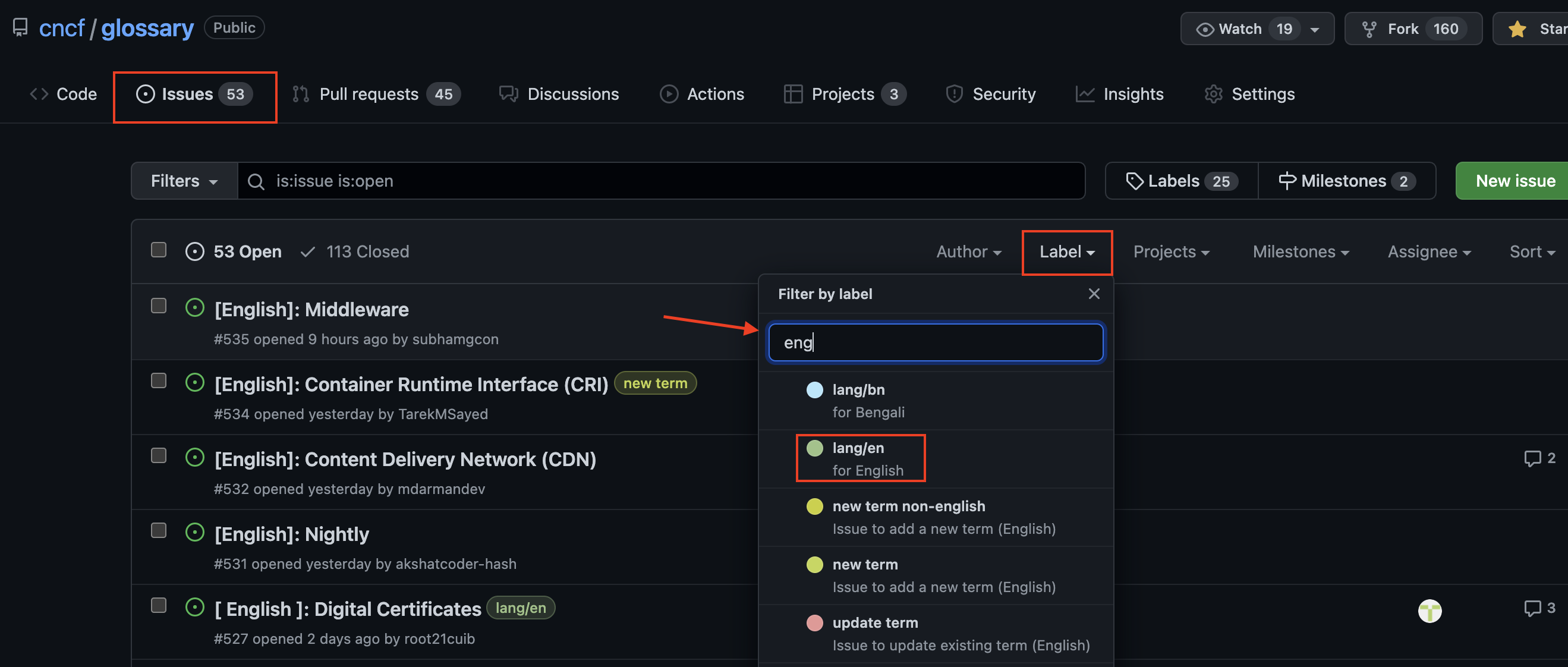
Go to the [Glossary GitHub repo issues](https://github.com/cncf/glossary/issues) to find a list of available issues.
You can use labels (e.g., English language, help needed, good first issue) to filter out issues.
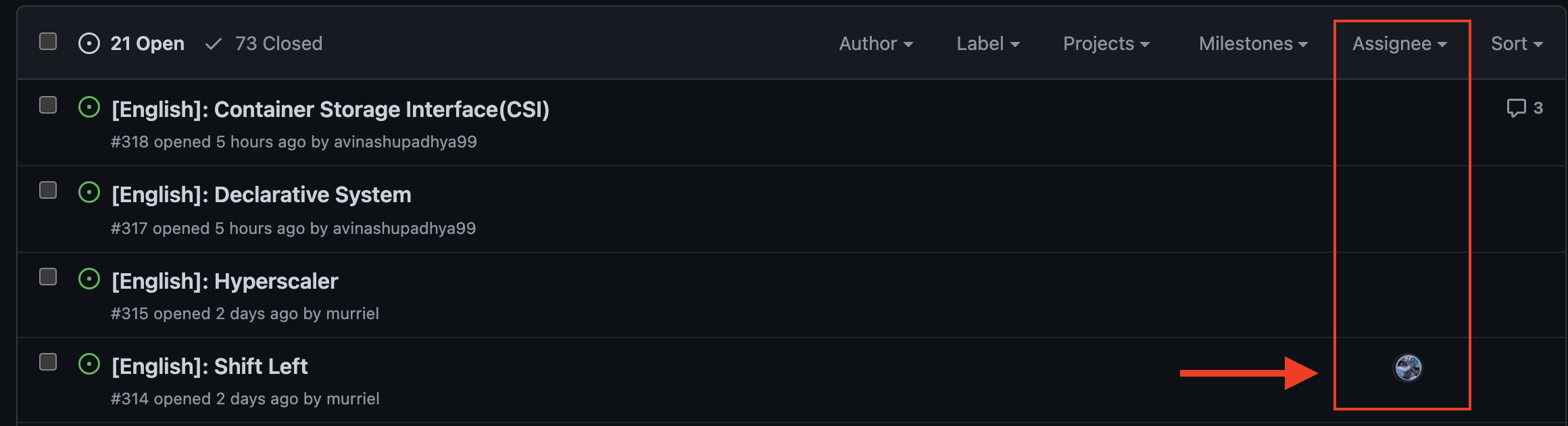
Be sure the term you select hasn't already been assigned to anybody.
For example, here you can see that the first three terms are available while the fourth one has already been assigned.
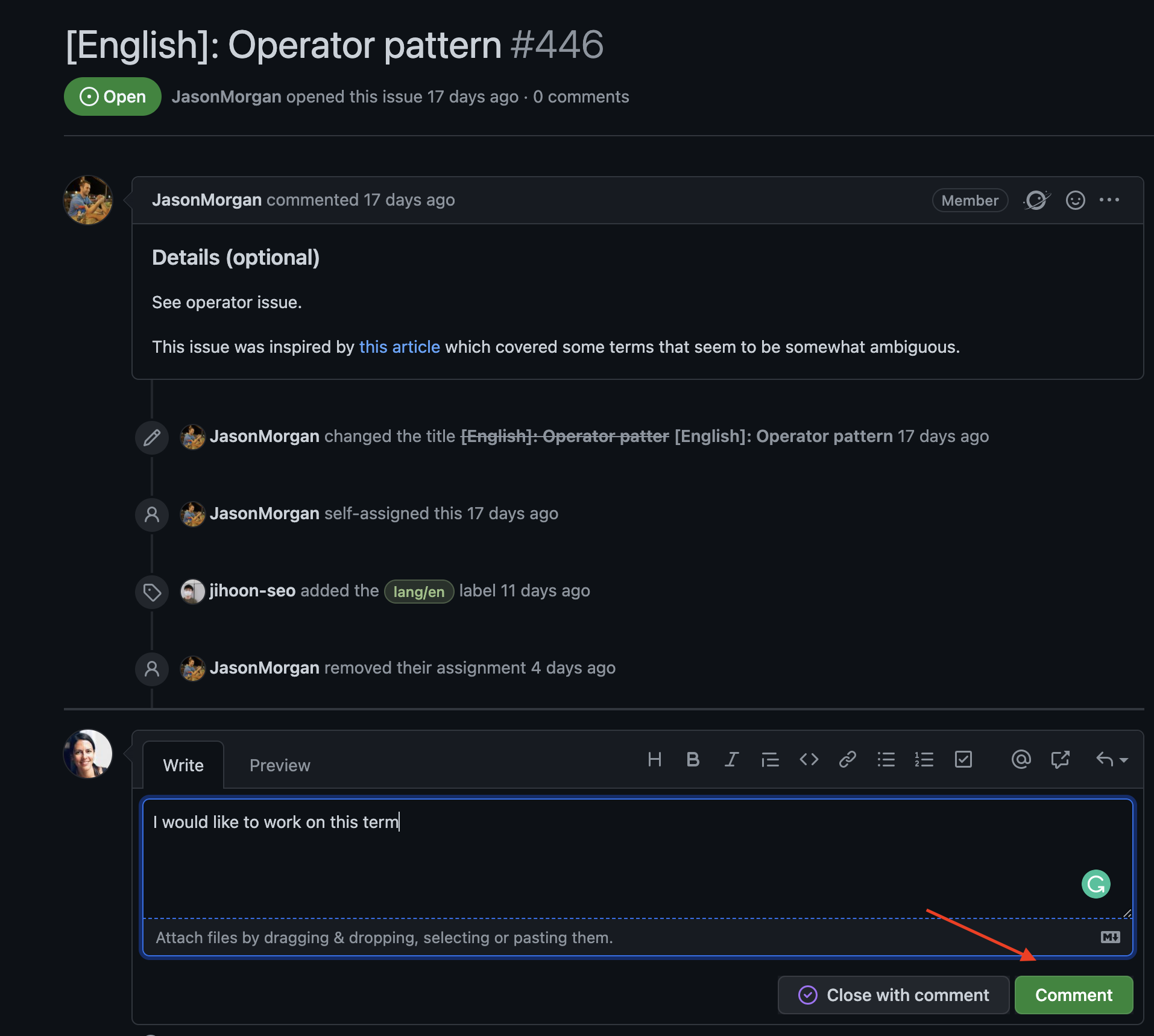
Once you select a term to work on, comment on the issue.
Additionally, notify the maintainers on the [#glossary](https://cloud-native.slack.com/archives/C02TX20MQBB) channel of the CNCF Slack workspace and
tag _@iamnoah_, _@nate-double-u_, _@Seokho Son_, _@Jihoon Seo_ and/or _@Junya Okabe_ to be sure they don't miss it.
For the next steps, please refer to the [Submitting a new term (creating a PR)](#submitting-a-new-term) section.
**Note**: you can start working on an issue after the maintainers assigned it to you.
You can only claim one term at a time.
Workig on multiple terms is sequential, you must complete a term before claiming the next one.
## Propose new terms
You can propose a new term for others to work on or create a new definition yourself.
Either way, you'll start by [creating an issue](#creating-an-issue).
To be added to the glossary, every new term must meet the [CNCF's cloud native definition](https://github.com/cncf/toc/blob/main/DEFINITION.md).
The only exceptions are foundational terms needed to understand cloud native concepts.
Below is a step-by-step guide for people unfamiliar with GitHub.
**If you are a GitHub Pro**, please _do_ scan this guide to gather enough information about the following topics:
1. Locating templates for issues and new terms.
2. Claiming issues.
3. Solving [spell check](#spell-check) failures.
### Creating an issue
Go to the [Glossary GitHub repo](https://github.com/cncf/glossary/issues) issues and click on "New issue".
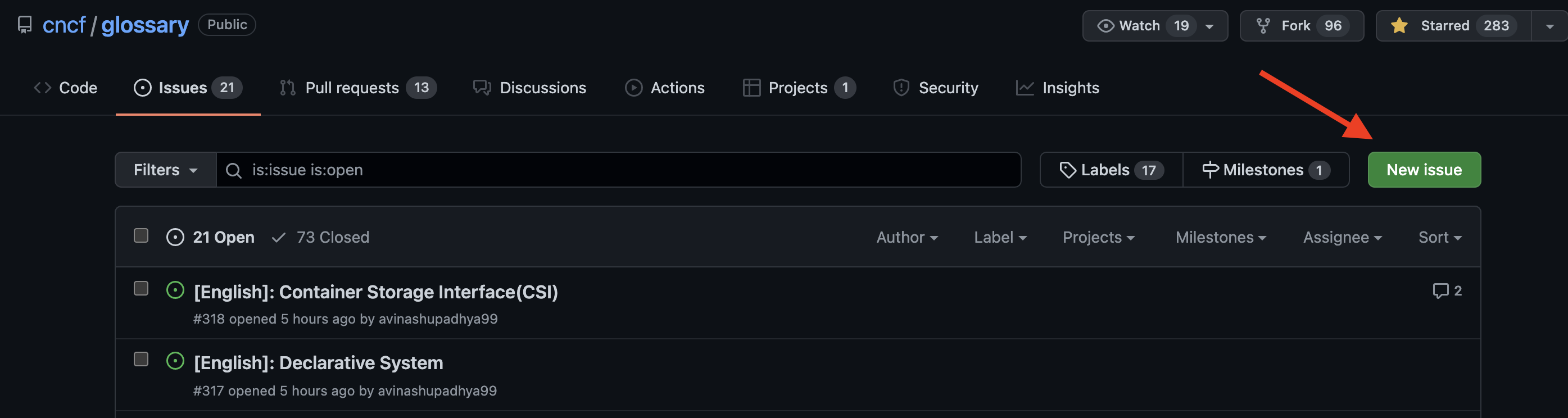
Select "Request to add a new term (English)" from the list of templates.
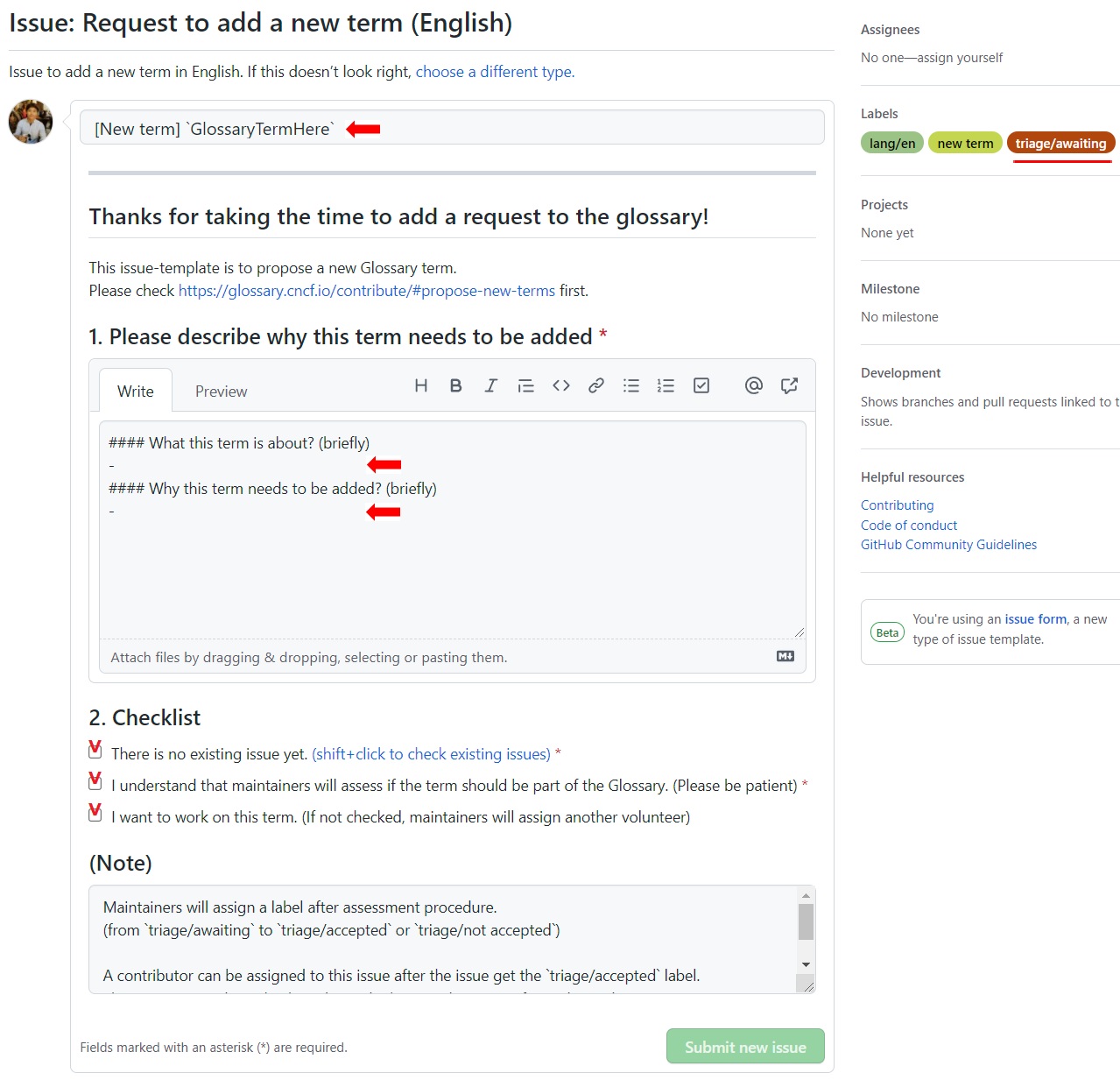
Add the word you're suggesting, answer the questions, check the boxes, and hit "Submit new issue".
If you're just proposing a new term, you're done! If you want to work on the definition, keep reading.
### Triaging your issue
Next, the maintainers will triage the issue.
That means they will assess if the term should be part of the Glossary.
Not every term will be admitted. To be included in the Glossary, they should be established and widely-used cloud native concepts.
Please let the maintainers know that you've proposed a new term on Slack and tag _@iamnoah_, _@nate-double-u_, _@Seokho Son_, _@Jihoon Seo_ and/or _@Junya Okabe_ so that they don't miss it.
If you want to work on the definition, let the maintainers know and they'll assign it to you.
### Submitting a new term (creating a PR)
As stated in our [Style Guide](https://glossary.cncf.io/style-guide/), we highly recommend starting with a Google or Word doc.
Once the term is ready to submit, go to content (under <>code)…
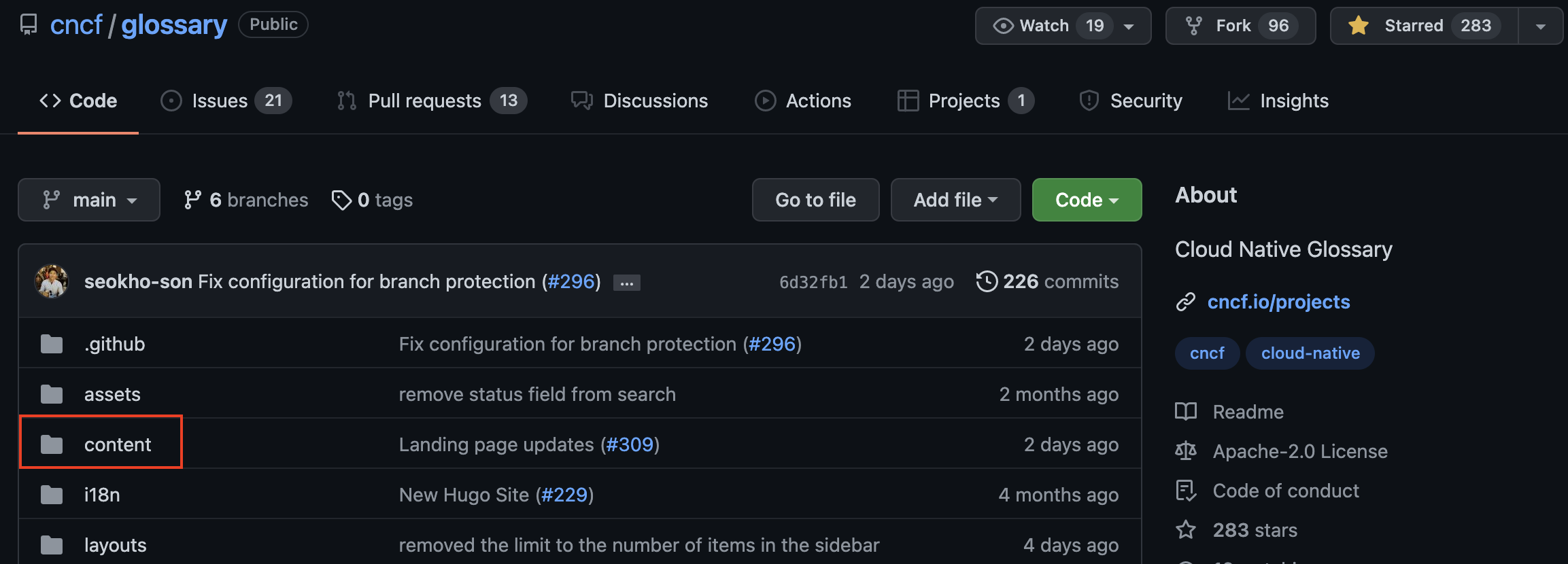
…then "en" (for English) or the first two letters of the language you are contributing to…
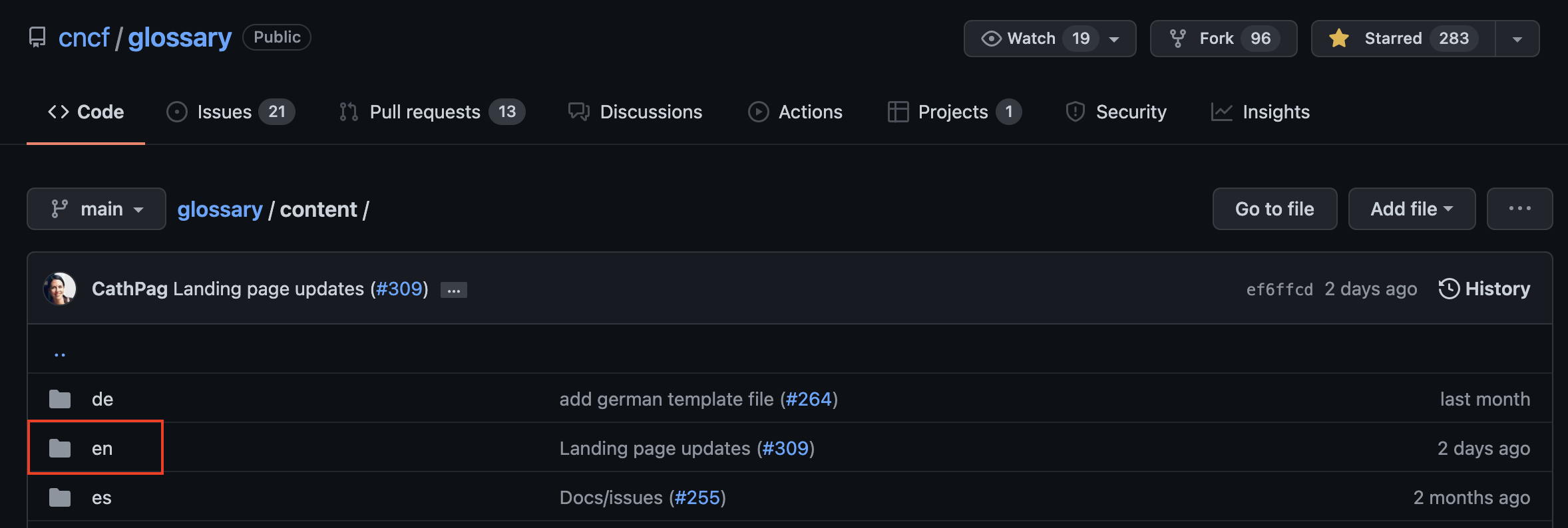
…and select `_TEMPLATE.md`
Copy the content…
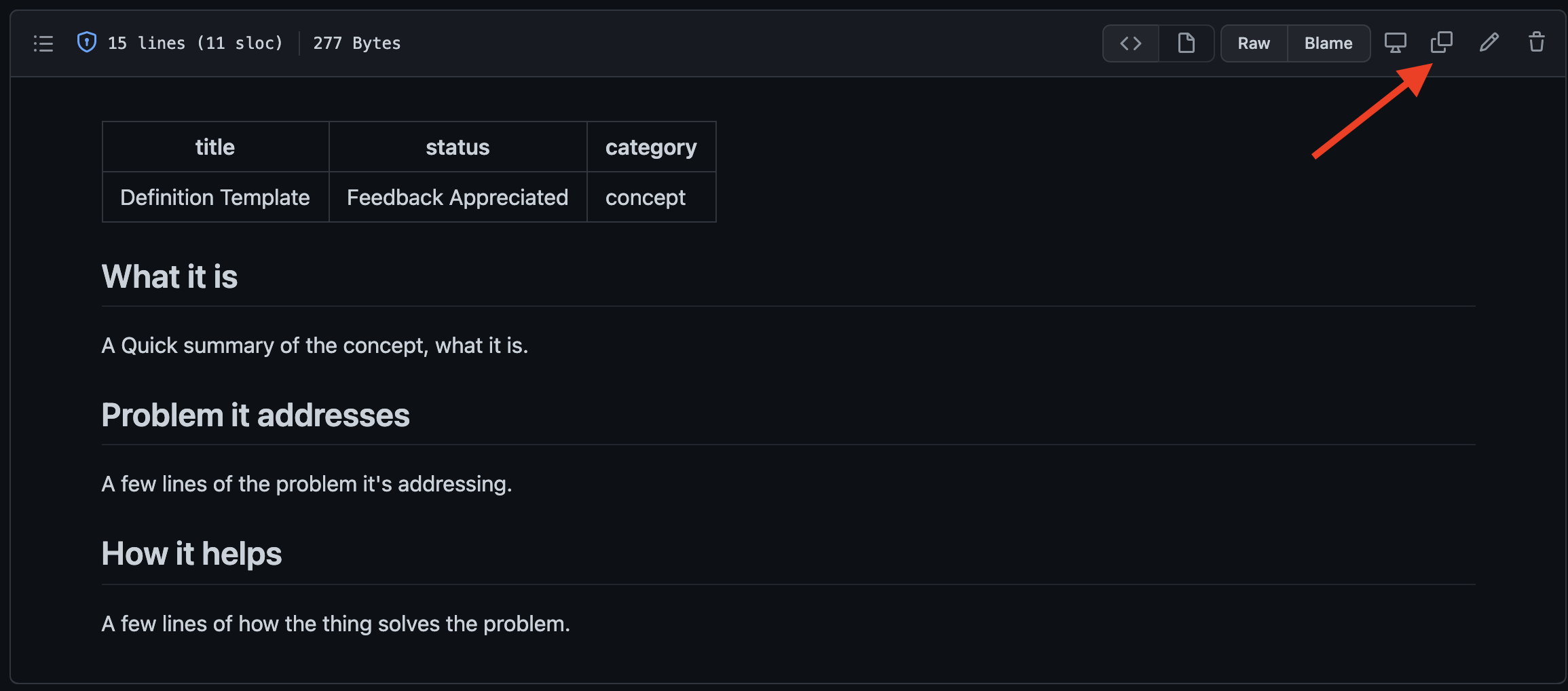
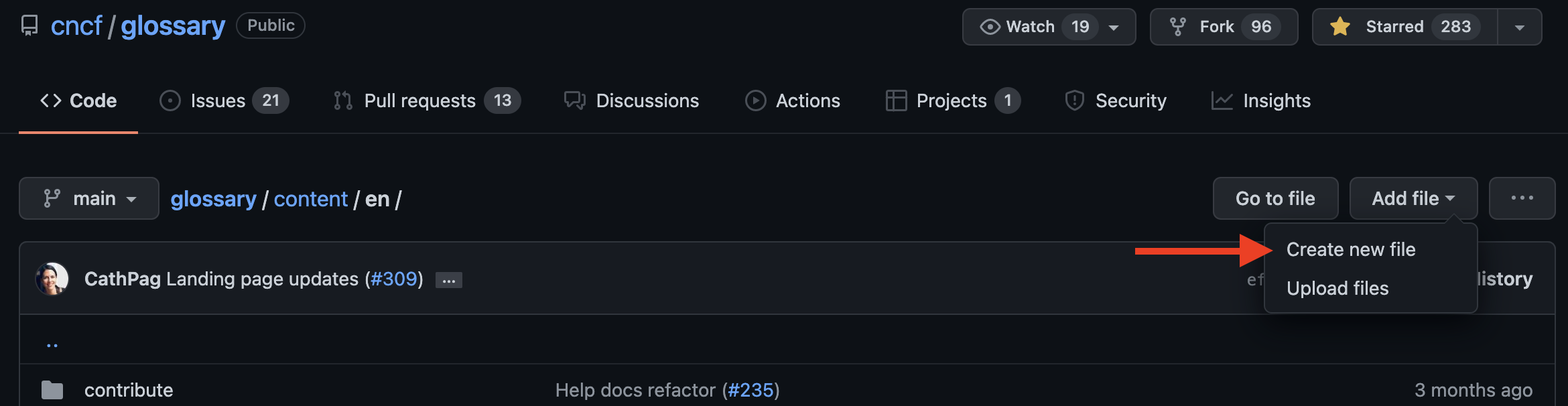
…and go back to the "en" folder. Click "Add file" and select "Create new file".
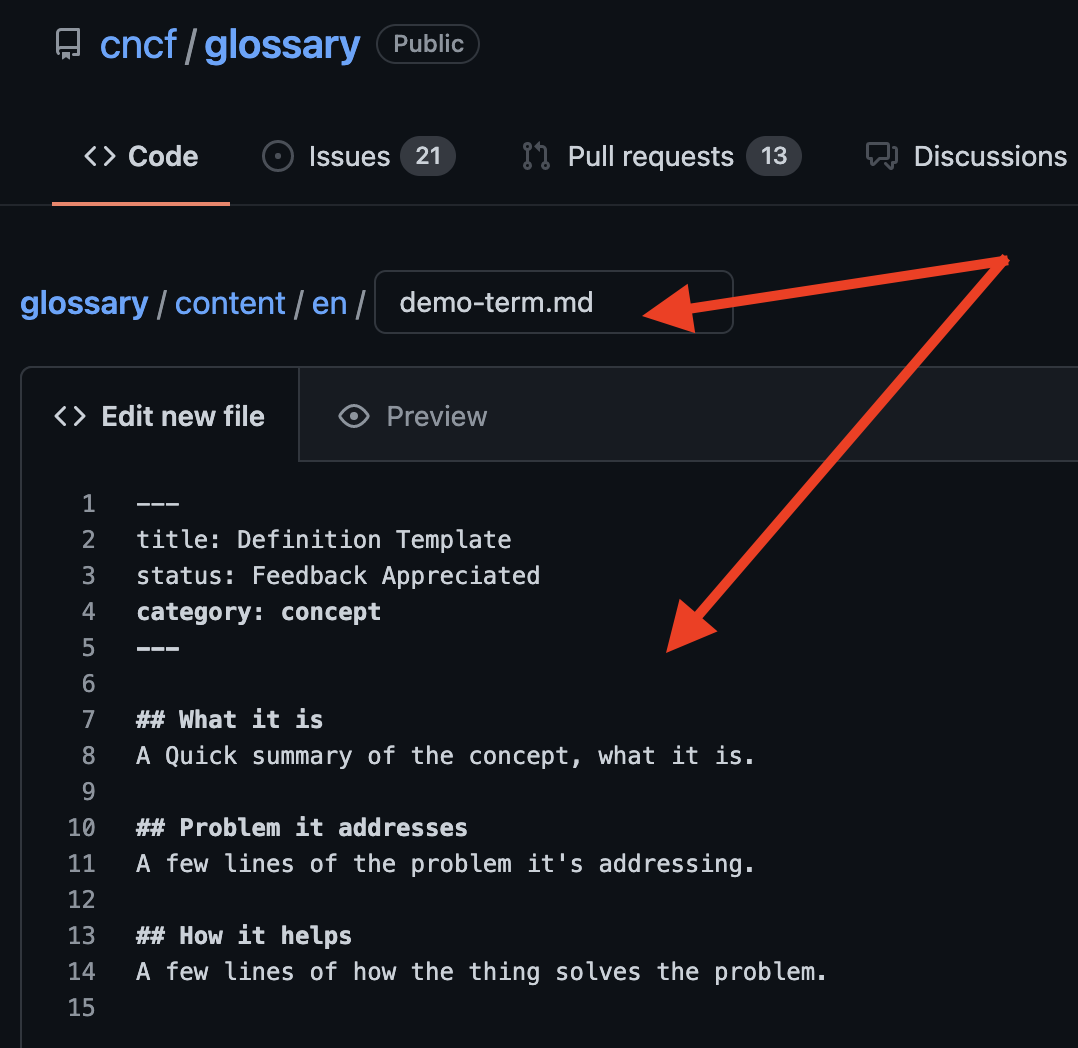
Add the name of the term in the URL as described in the [Best practices](#best-practices) section.
Add the .md extension at the end of the name (without this extension you won't be able to preview your file).
Now paste the template content in the section below. Copy and paste the text of your definition into the file.
To verify you've used Markdown as described in the [Best practices](#best-practices) section, click on "Preview".
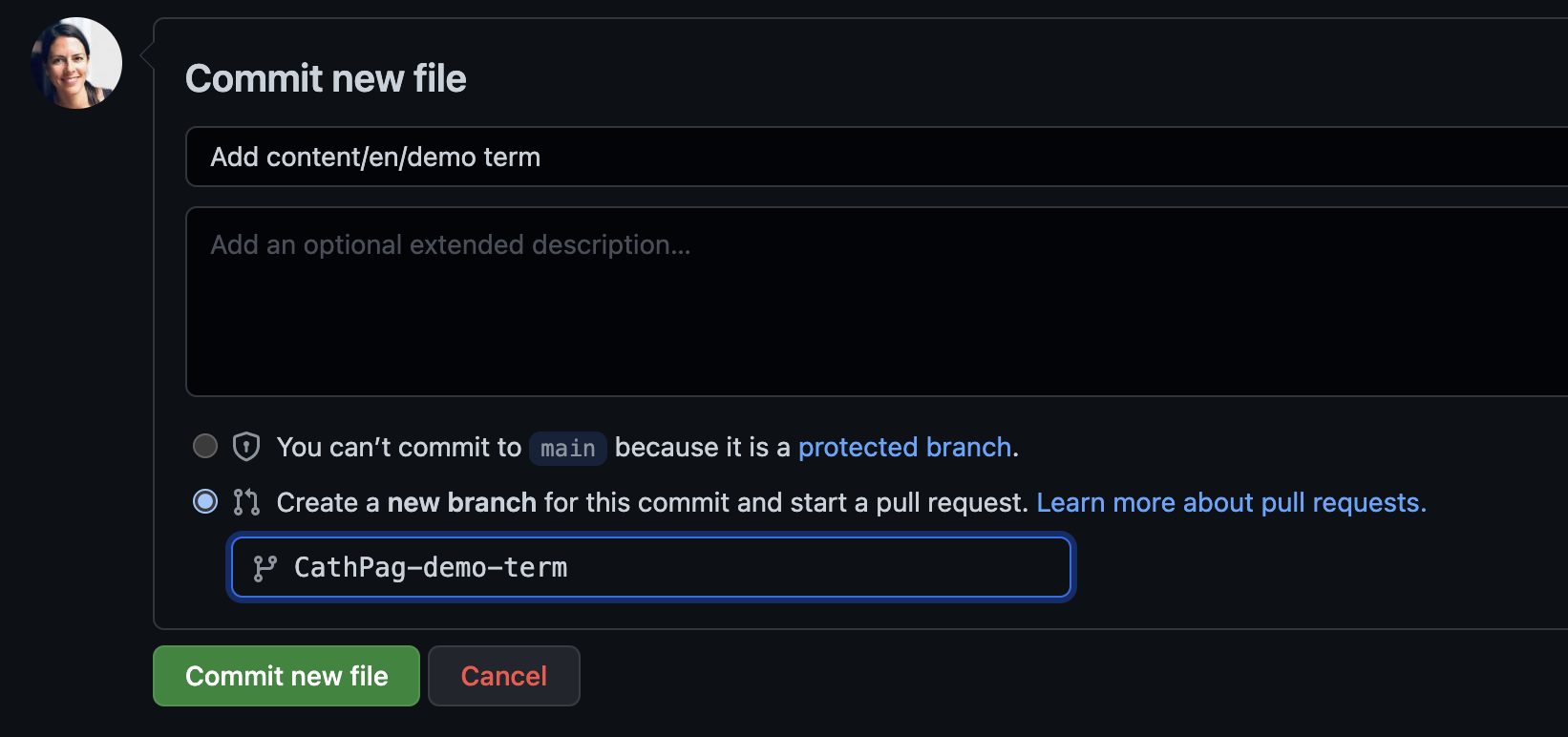
Scroll down and name the new commit file. Hit "Commit new file" when you are ready to submit
and…
… you're now ready to create a new PR:
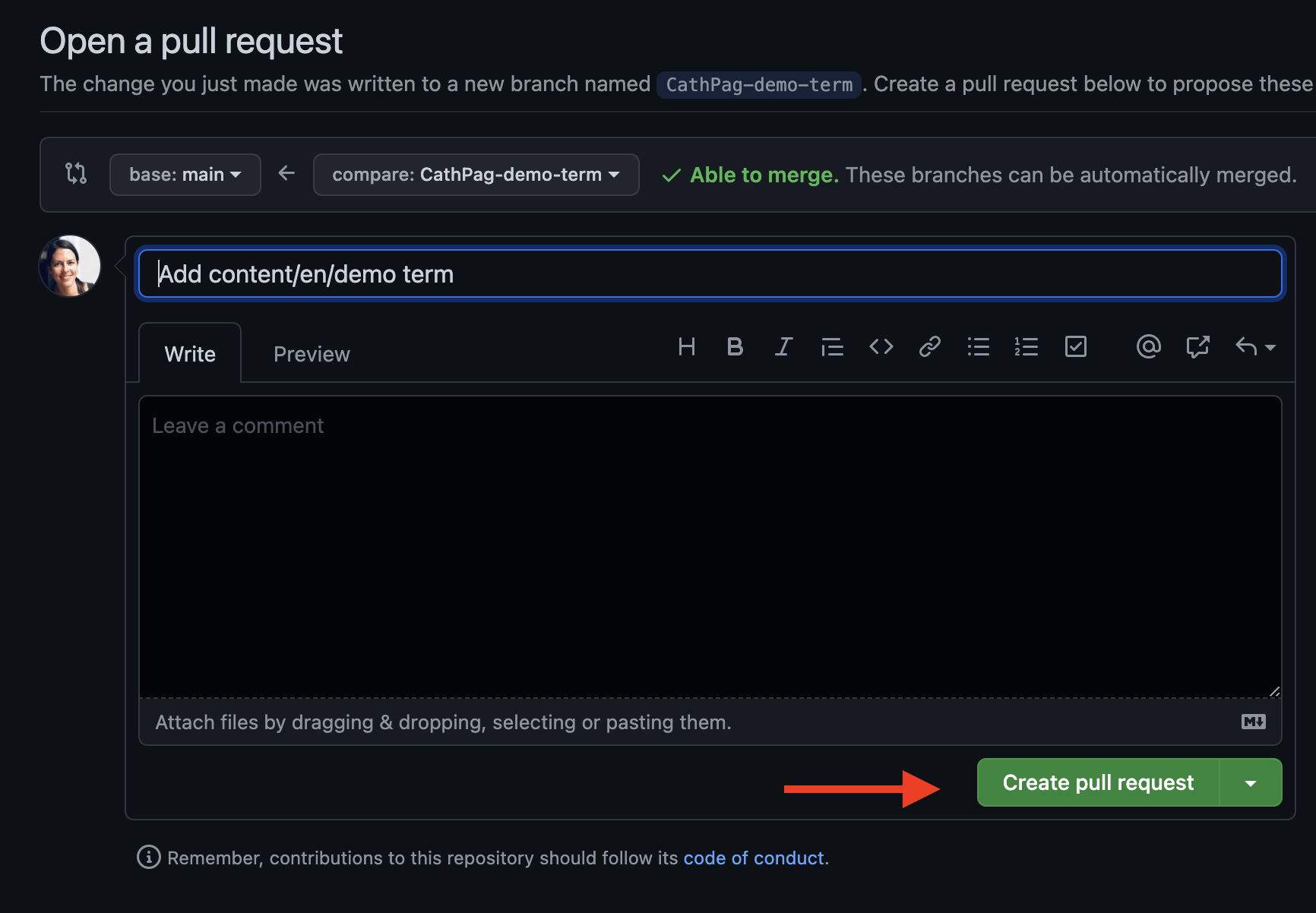
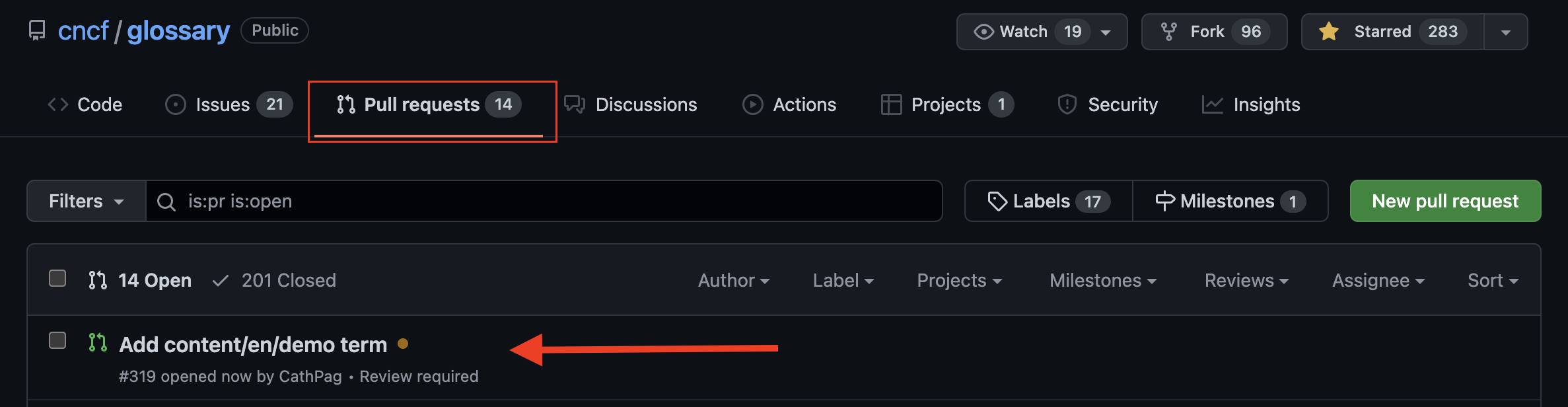
Once you hit the "Create pull request" button your PR should be visible in the "Pull requests" tab.
## Update an existing term
To update an existing term, you can either request changes by creating an issue
or work on the changes yourself and submit a PR.
### Request a change via an issue
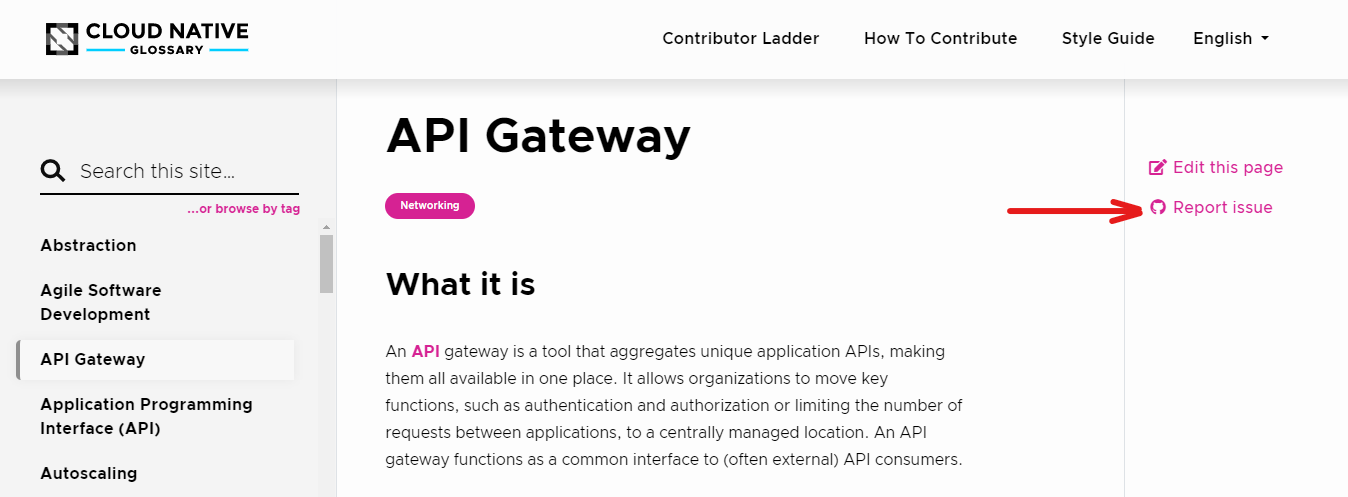
If you want to flag a problem with a term, you can use the "Report issue" option of the CNCF Glossary webpage.
Locate yourself in the CNCF page of the concept you'd like to flag and click on "Report issue".
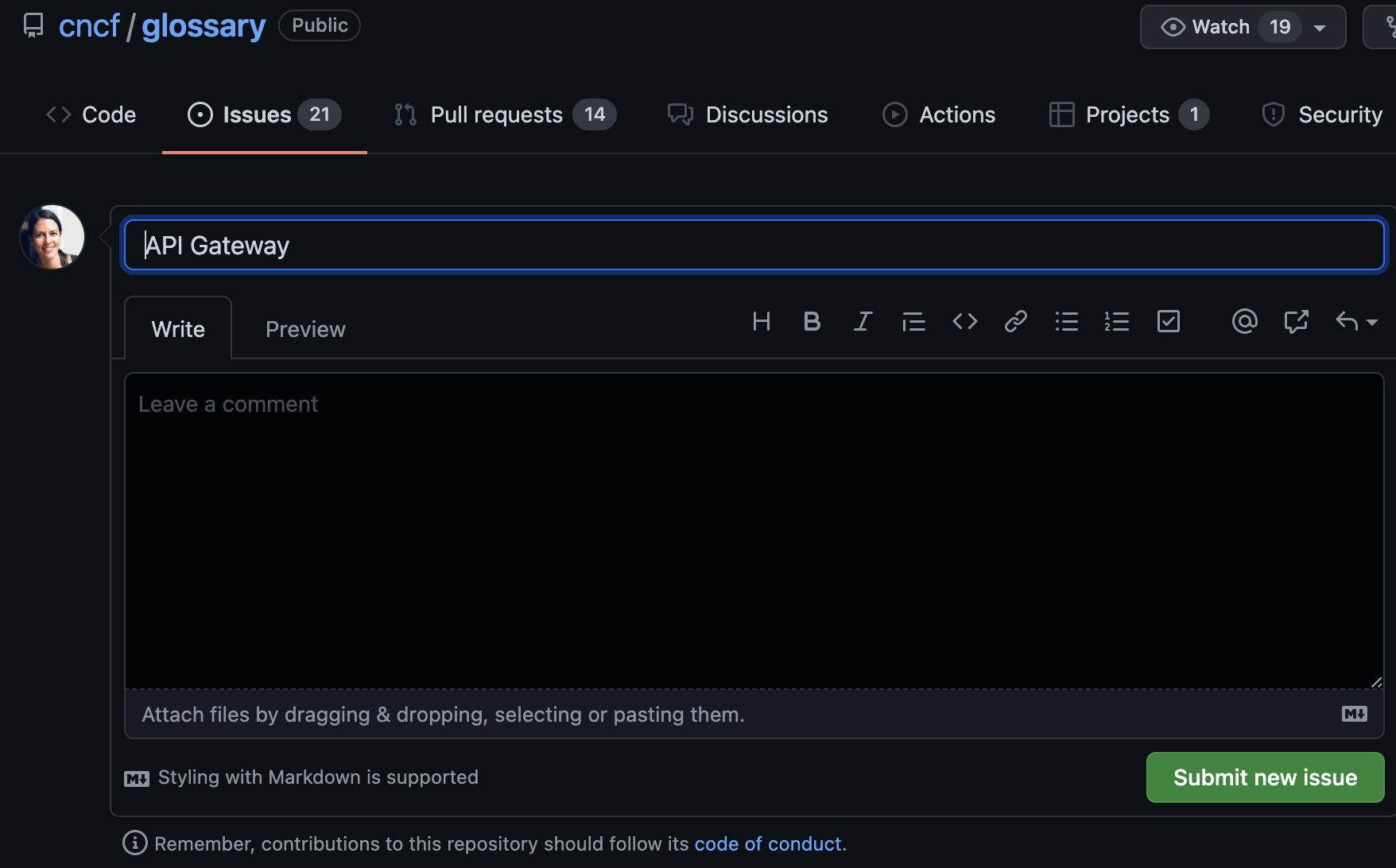
This will automatically open an issue for you
Please describe your suggestions and why they are needed. Hit submit, and that's it.
### Update a term directly
To modify a term and submit your suggestions, click "Edit this page."
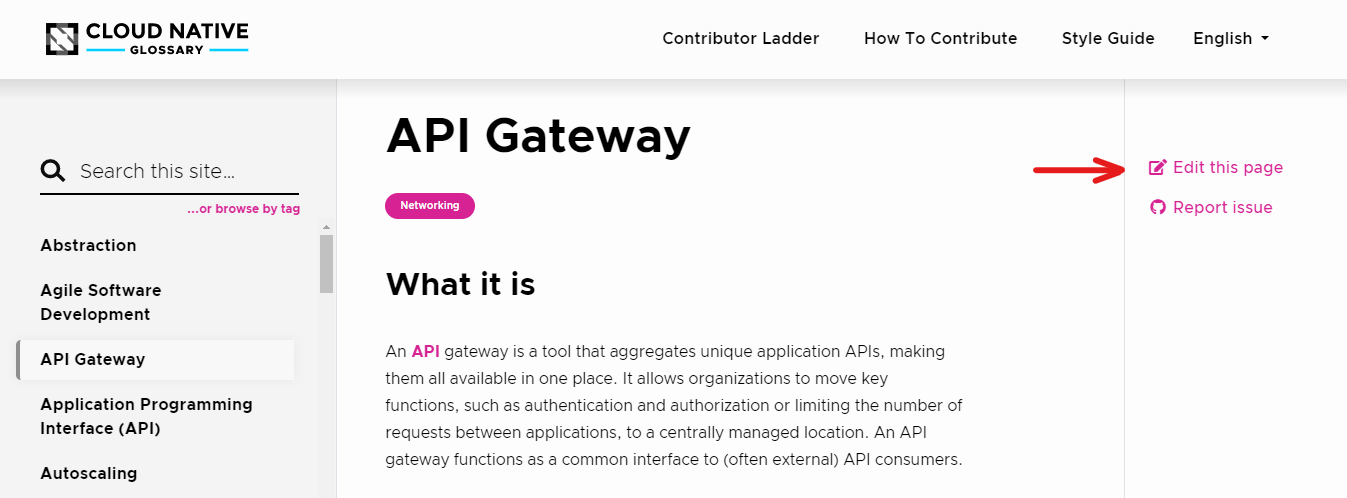
This will open the term's GitHub page. Make your changes and create a PR.
Please refer to the [Best practices](#best-practices) section above
and read our [Style Guide](https://glossary.cncf.io/style-guide/) to make sure you follow our guidelines.
## Help localize the glossary
To help localize the glossary into a target language, please join the [#glossary-localizations](https://cloud-native.slack.com/archives/C02N2RGFXDF) channel on the CNCF Slack workspace and send us a message.
You can either join an existing team or create a new one
(to see what it takes, read our [Localization Guide](https://github.com/cncf/glossary/blob/main/LOCALIZATION.md)).
Please read the **How to contribute** guide of the target language to gather the specifics of that team's contribution process.
## Spell check
There are two main reasons why the spell check can fail:
- The PR contains misspellings.
- The PR contains words that are not registered in the word list.
To add new words to the list, follow these steps:
1. In your PR, locate the file "wordlist.txt".
2. Click "Edit this file" and add the missing words in alphabetic order.
3. Add a commit message and select "Sign off and propose changes".
**Note**: the spell check is case-insensitive.
**We updated this guide based on templates from [The Good Docs Project](https://thegooddocsproject.dev/).**
---
- Canonical URL: https://glossary.cncf.io/contribute/
- Status: Completed
- Last modified May 27, 2025: ` Update Contribution Guide (#3517) ` ([821376e](https://github.com/cncf/glossary/commit/821376ed090914b47cd415c79f0e6b88d0a21b4b))
- Source: https://github.com/cncf/glossary/blob/main/content/en/contribute/_index.md
- License: [CC BY 4.0](https://creativecommons.org/licenses/by/4.0/)